Play Together
With the party system removed, a new method is needed to play with friends. This article will guide you through the process of “sniping.” If you are new to the current state of Vainglory, please refer to our Vainglory FAQ. All Vainglory download links can be found here.
Where Can I Find Other Players?
Discord is your best option. See our list of active Vainglory communities. We highly recommend joining our Discord server to stay up-to-date with the latest Vainglory news. With over 4,000 members, it’s an excellent place to connect with other veteran players. You should also join at least one sniping server specific to your region. These Discord servers are dedicated to organizing Vainglory matches.
What is Sniping?
Since creating a party is no longer possible, we use a method called “sniping” to play with friends. Sniping involves simultaneously queuing for the same game mode with the aim of being matched together. If the attempt fails, you can “dodge” (exit the queue) and try again.
This process can quickly become tedious with more than a few players. Fortunately, Vainglory developer Loquori introduced a party workaround via a server-side patch on 18 March 2021, which significantly simplifies teaming up with friends.
How to Guarantee a Snipe
The system introduced by Loquori provides a very high probability of being matched with your friends. To achieve this, prefix your in-game name (IGN) with a number in the range of 1 to 3000, followed by an underscore (_).
The matchmaker will interpret this number as your Elo rating and attempt to match you with players who have a similar Elo. The Elo search range will expand as the queue duration increases, until a match is found (typically within 7–8 minutes). Functionally, this number acts like a party code built directly into your IGN.
For example, the IGN 1_Player indicates an Elo of 1 to the matchmaker. You will have a high chance of matching with your friend 1_Friend, who has also set their Elo to 1. Since the default Elo is 1200, we advise using numbers closer to 1200 to reduce queue duration.
How to Snipe with a Full Party
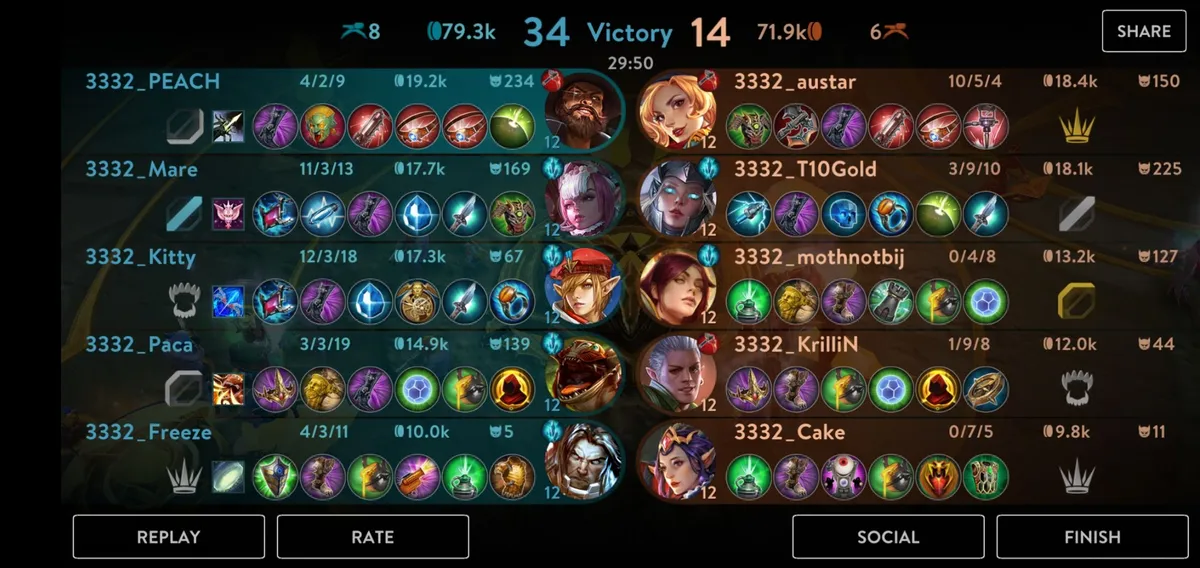
For a full-party snipe, all players must use an identical number greater than 3000. Any number above 3000 is considered an “exact” Elo. The matchmaker will only pair players with identical Elo values above 3000. This means, for example, that an Elo of 3001 will never be matched with 3002 or any other number.
Note: A “full party” refers to 6 players in 3v3 or 10 players in 5v5.
Non-full party (1–3000 Elo):
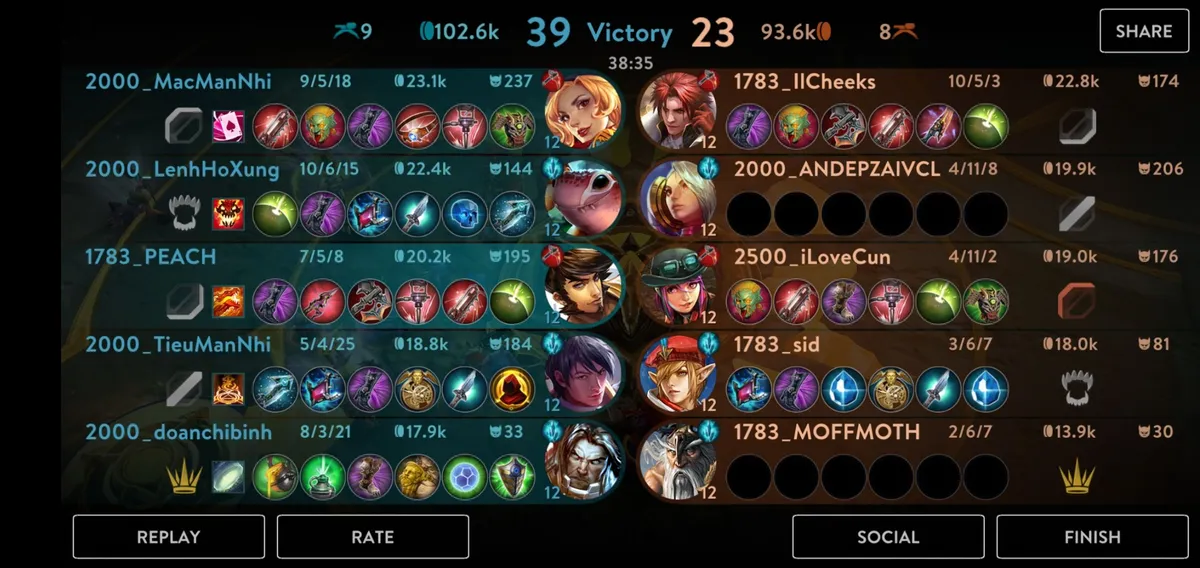
Full party (3001–9999 Elo):
How to Decide Who Goes on Which Team
The default Elo is 1200 if no specific value is provided. We can manipulate the Elo to achieve the desired team roster. The matchmaker aims to ensure balanced placements. Our goal is to achieve the same average Elo for both teams. Here are two examples to illustrate this concept. The same principle applies to 3v3 games.
Same team placement for partial, two-player snipes:
| Team A | Team B |
|---|---|
| 1190 | - |
| 1210 | - |
| - | - |
| - | - |
| - | - |
Specific team assignment for full-party, ten-player snipes:
| Team A | Team B |
|---|---|
| 2891 | 2900 |
| 2892 | 2900 |
| 2893 | 2900 |
| 2894 | 2900 |
| 2930 | 2900 |
In-game examples (note the numbers):
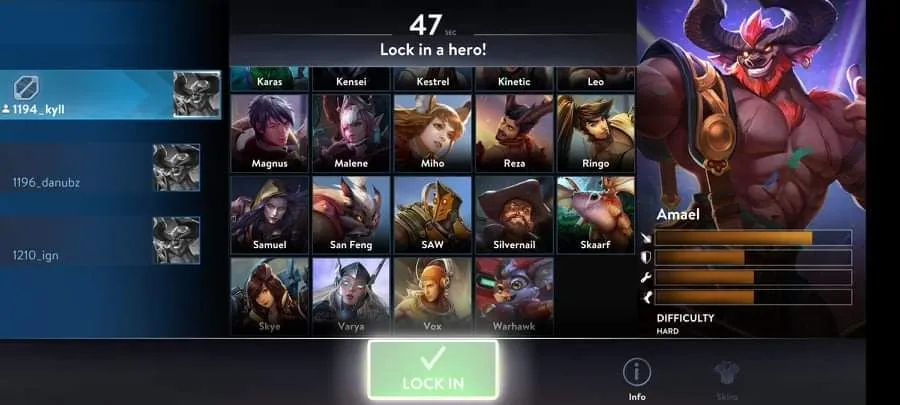
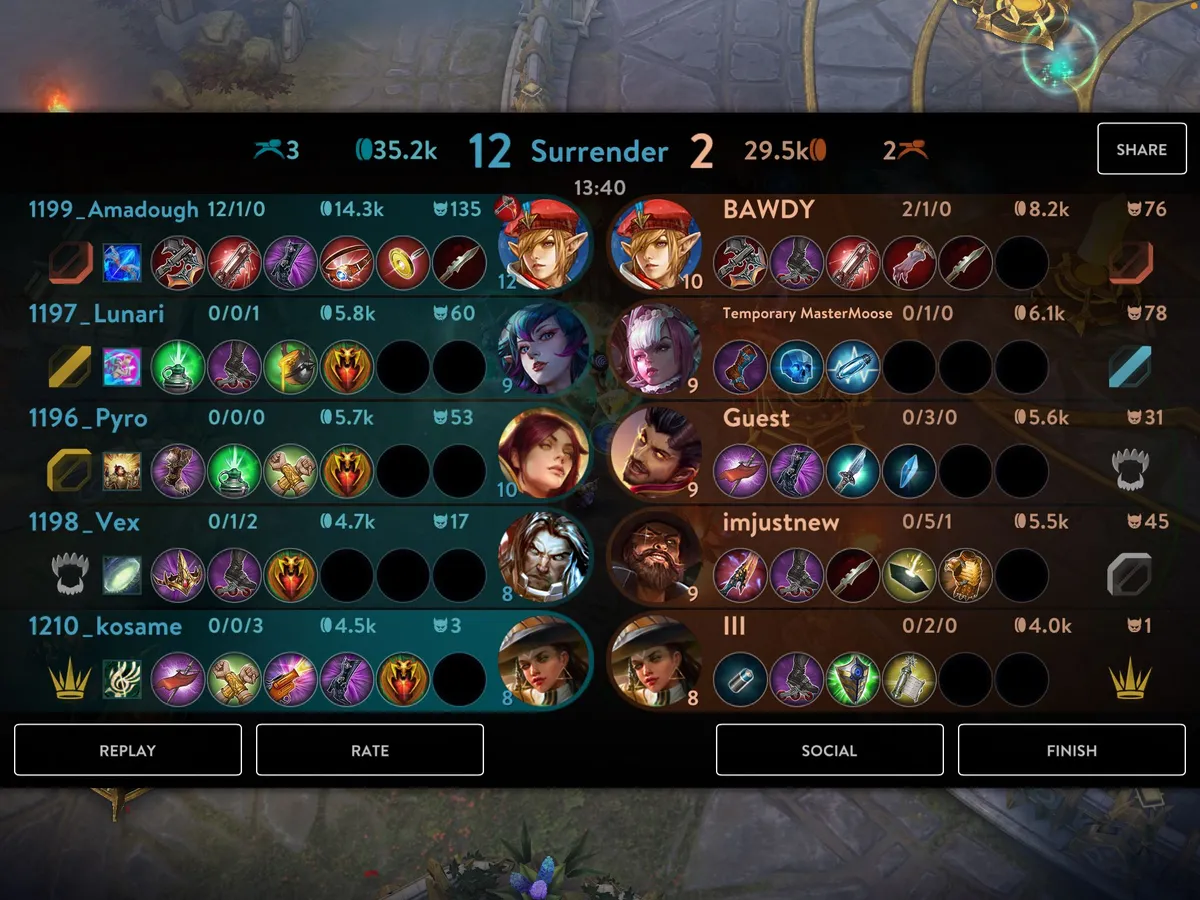
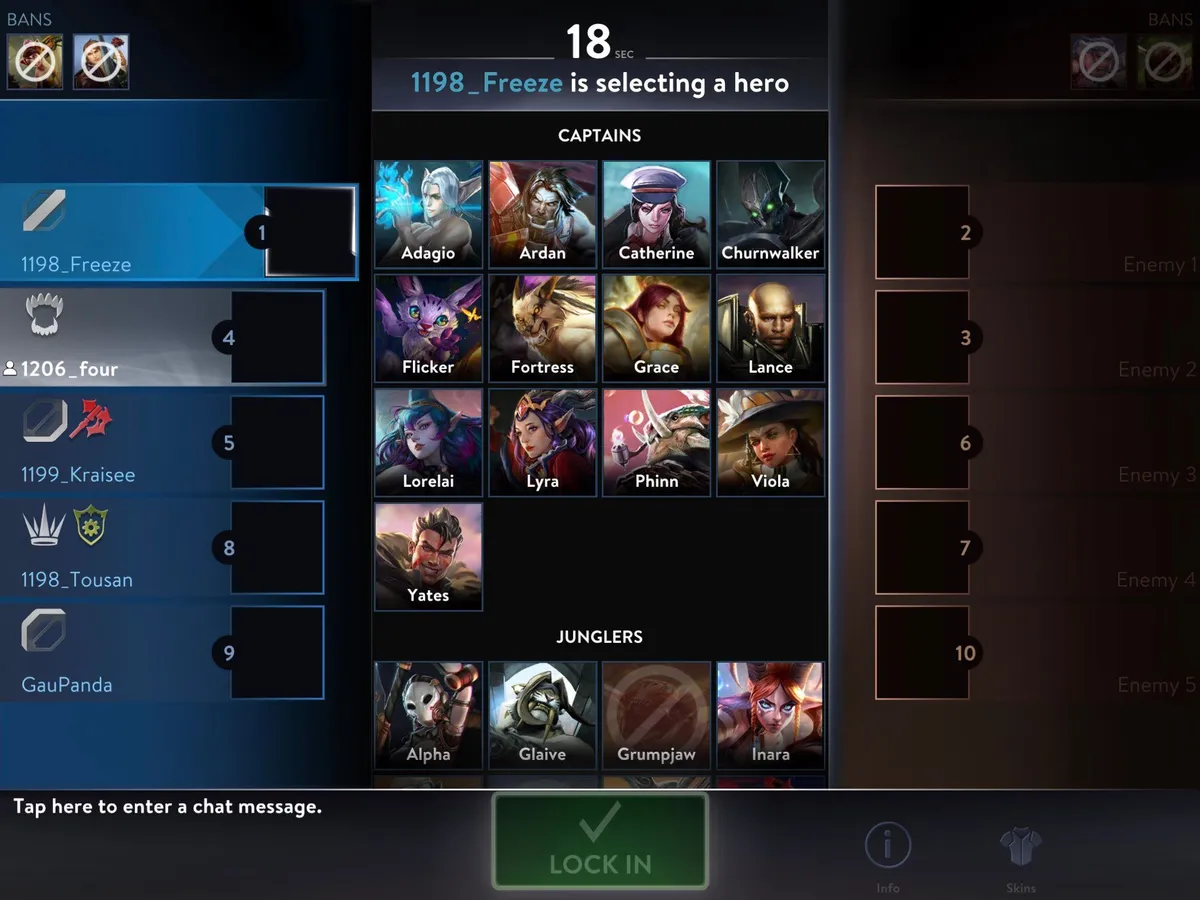
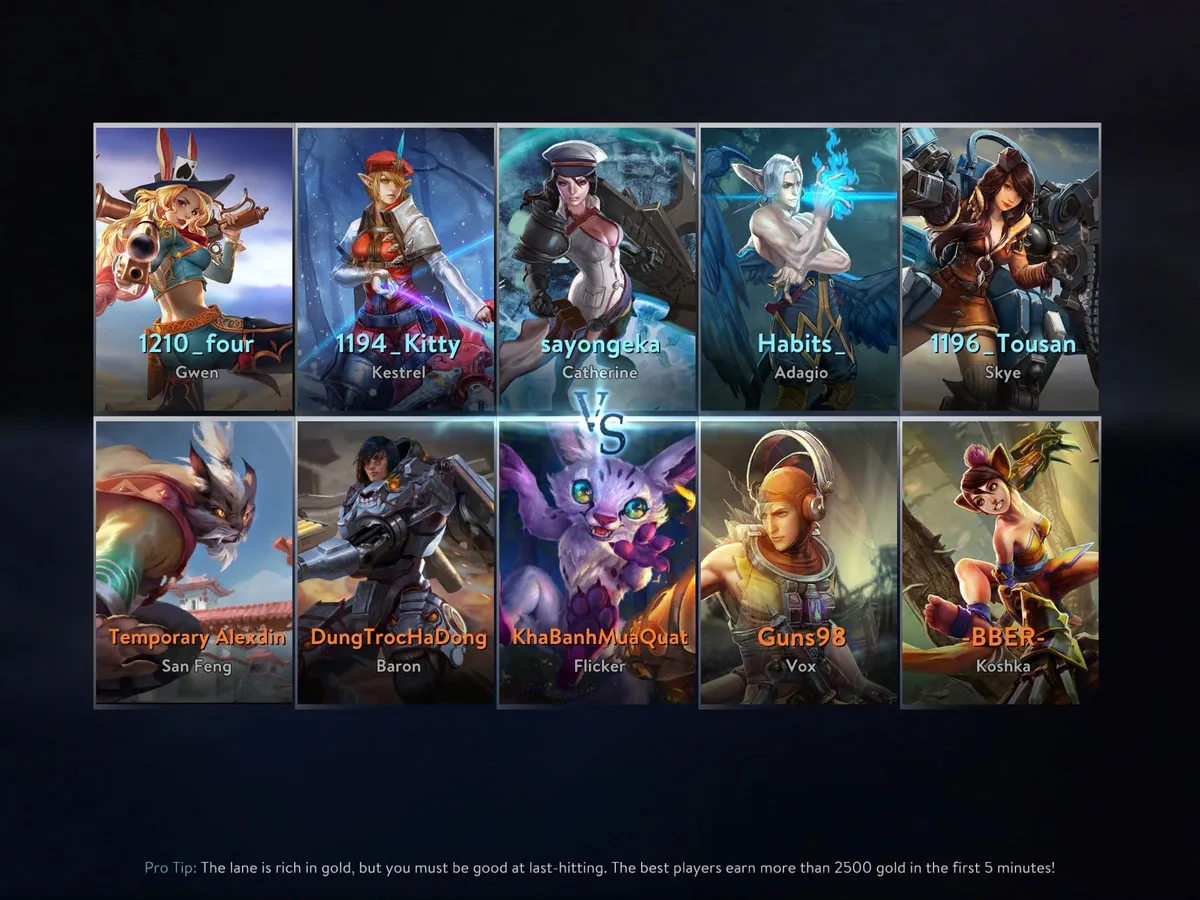
Here is an example of a failed attempt where five players aimed to be on the same team (both teams averaged 1200 Elo):
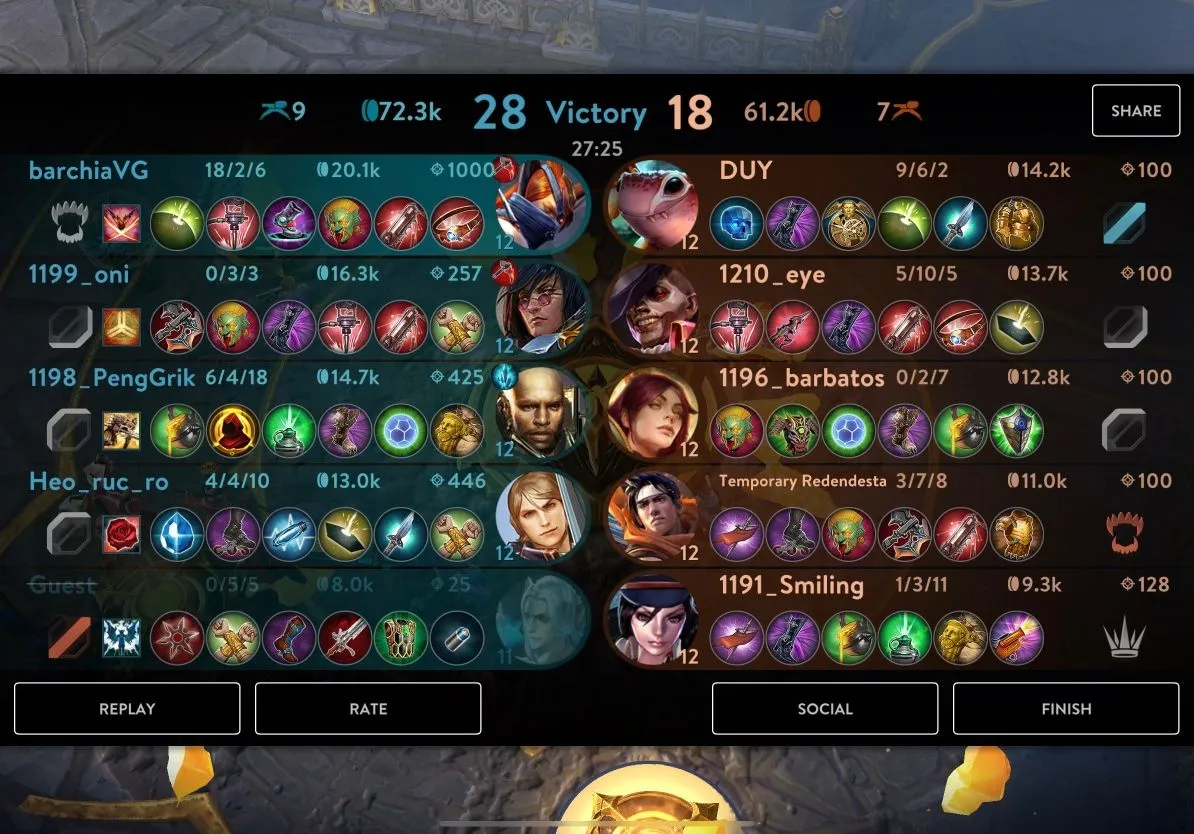
A few possible Elo sets they could have used to stay together:
| Set 1 | Set 2 | Set 3 |
|---|---|---|
| 1195 | 1196 | 1198 |
| 1195 | 1197 | 1199 |
| 1195 | 1198 | 1199 |
| 1195 | 1199 | 1199 |
| 1220 | 1210 | 1205 |
Thanks to our friend Freeze on Discord and Reddit for helping to test and confirm this method.
How to Snipe on PC
Although the PC version does not support changing IGN directly, a workaround is available here if you have an Android device.
Instructions for Sniping on Discord
Standard procedure and etiquette to follow when playing in a sniping server:
- Communication is essential for sniping, so please join a voice channel. If you cannot speak, ensure your text messages are visible during the sniping process.
- The host will instruct you to set your IGN. Prefix your IGN with the Elo value provided to you.
- Once everyone is ready, the host will count down “3, 2, 1” for everyone to start queuing. Ensure you have selected the correct game mode.
- Say “found” if you find a match. Say “not found” if you do not. Do not accept or decline the match until the host gives the instruction.
- If you accidentally accepted a match, cancel the queue once the “match found” screen closes so the host can restart the countdown and try again.
Since the range of numbers is vast and the player base is small, it is rare for another group to use the same Elo. If this occurs, use a different Elo and ensure it is not shared outside your party. In an active sniping server, communicate the Elo via voice chat to prevent sabotages during a full-party snipe. Consider reporting any intruding players to the Discord moderators.